Condition
Create conditional logic and branching in your workflows
The Condition block allows you to branch your workflow execution path based on boolean expressions. It evaluates conditions and routes the workflow accordingly, enabling you to create dynamic, responsive workflows with different execution paths.
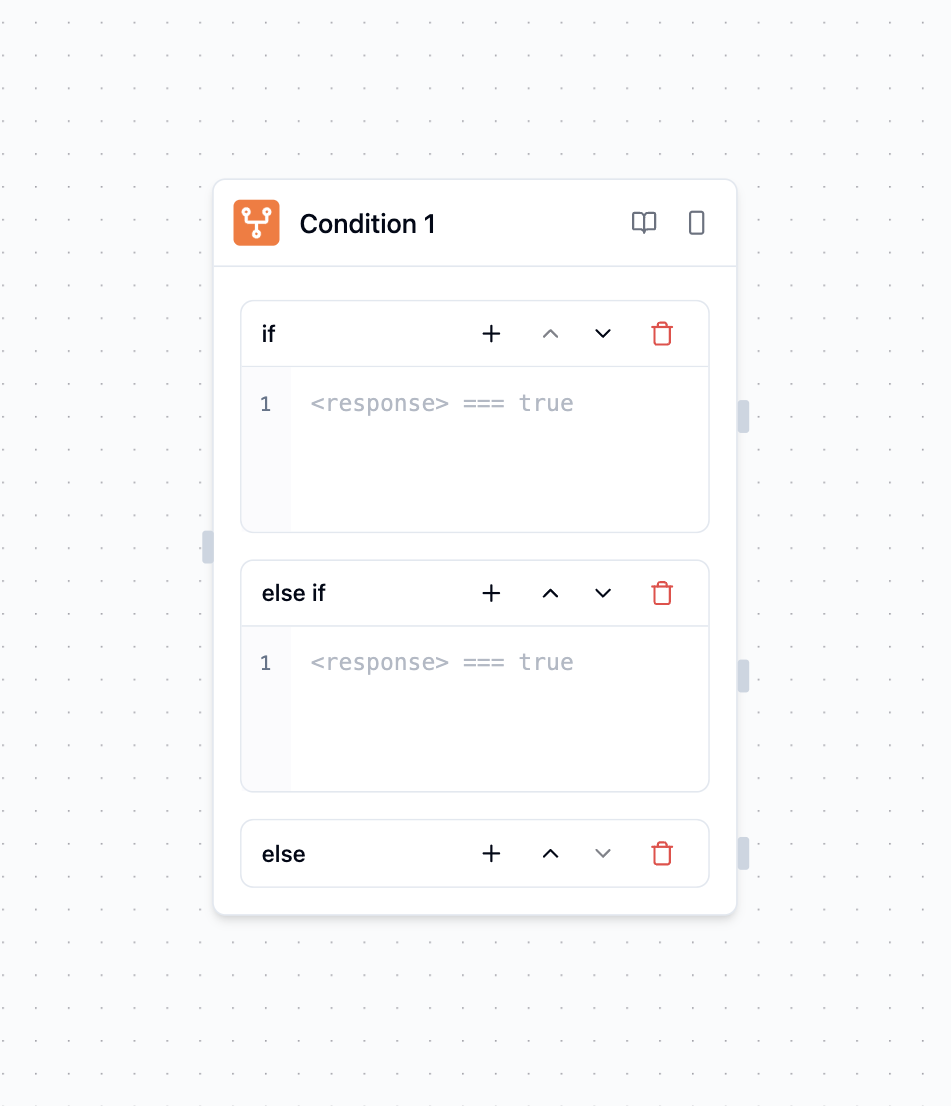
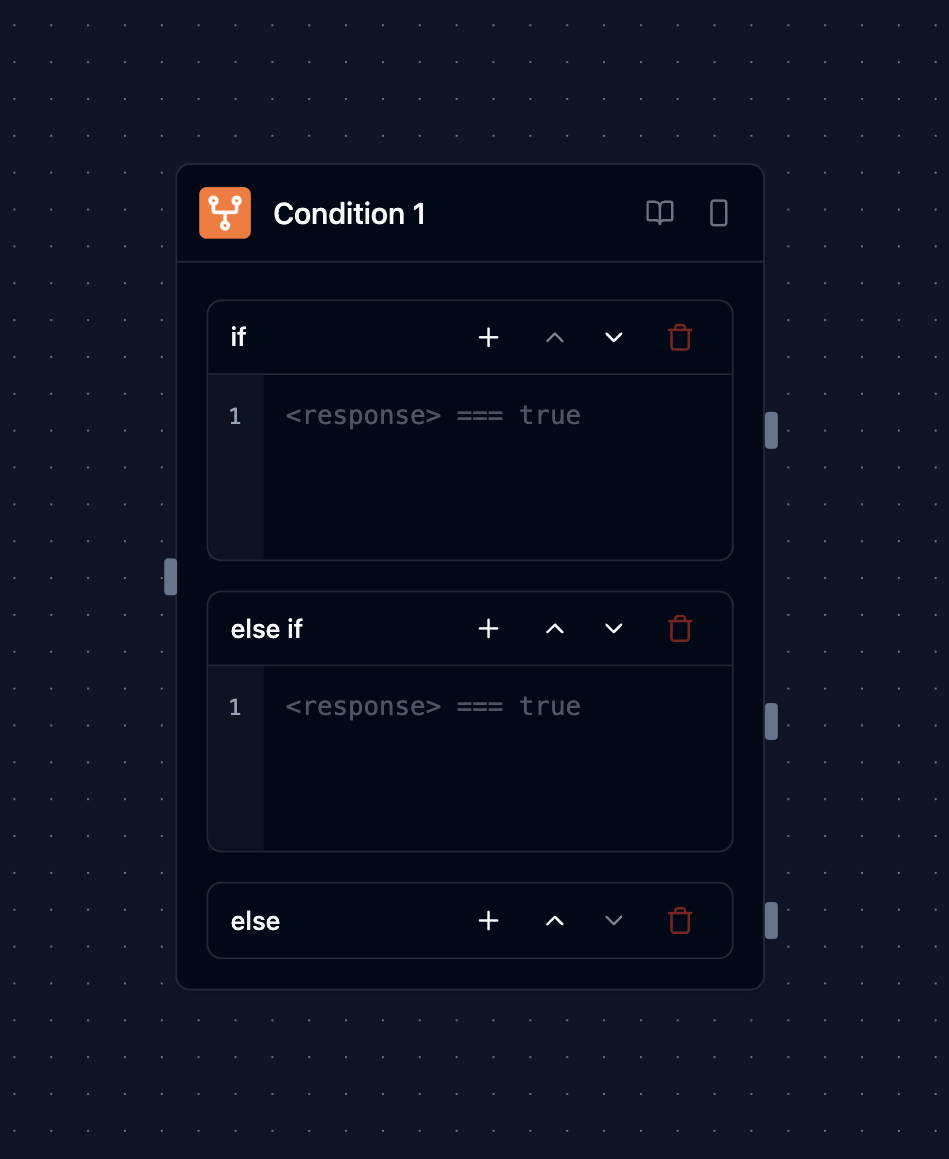
Condition blocks enable deterministic decision-making without requiring an LLM, making them ideal for straightforward branching logic.
Overview
The Condition block enables you to:
Create branching logic: Route workflows based on boolean expressions
Make data-driven decisions: Evaluate conditions using previous block outputs
Handle multiple scenarios: Define multiple conditions with different paths
Provide deterministic routing: Make decisions without requiring an LLM
How It Works
The Condition block operates through a sequential evaluation process:
- Evaluate Expression - Processes the boolean expression using current workflow data
- Determine Result - Returns true or false based on the expression evaluation
- Route Workflow - Directs execution to the appropriate destination block based on the result
- Provide Context - Generates metadata about the decision for debugging and monitoring
Blocks on a path that was not chosen are skipped, and the run shows them as skipped on an unselected branch. A block that a chosen path also reaches still runs. If you wire the same block to a condition and to Else, or join a branch back into the main line, that block runs once, after all of its incoming connections have settled.
Configuration Options
Inserting a branch after wiring outputs
Click + Add condition between cards to insert a blank condition at that position. The last insertion button, immediately before Else, appends a condition. There is no confirmation dialog or popover. Existing connections remain attached to their conditions; the new condition starts unconnected.
Drag a condition by its left-hand grip, or use its up/down buttons, to change evaluation order. Expressions and connections follow the condition. Else always remains last. Each insertion or completed reorder is one undo/redo step. Press Escape to cancel an active drag. If another edit conflicts, review the current branches before trying again.
Conditions
Define one or more conditions that will be evaluated. Each condition includes:
- Expression: A data expression that evaluates to true or false (see Supported expression syntax)
- Path: The destination block to route to if the condition is true
- Description: Optional explanation of what the condition checks
You can create multiple conditions that are evaluated in order, with the first matching condition determining the execution path.
Condition Expression Format
Conditions use a safe, data-only subset of JavaScript expression syntax and can reference input values from previous blocks. Expressions are evaluated by a strict interpreter — not eval() — so only the constructs listed under Supported expression syntax are available.
// Check if a score is above a threshold
<agent.score> > 75// Check if a text contains specific keywords
<agent.text>.includes('urgent') || <agent.text>.includes('emergency')// Check multiple conditions
<agent.age> >= 18 && <agent.country> === 'US'Accessing Results
After a condition evaluates, you can access its outputs:
<condition.result>: Boolean result of the condition evaluation<condition.matched_condition>: ID of the condition that was matched<condition.content>: Description of the evaluation result<condition.path>: Details of the chosen routing destination
Advanced Features
Complex Expressions
Combine operators and the supported string, array, and number methods:
// String operations
<user.email>.endsWith('@company.com')

// Array operations
<api.tags>.includes('urgent')

// Mathematical operations
<agent.confidence> * 100 > 85

// Nested values and indexes
<api.result>.status === 'ok' && <api.items>[0].id === 42

// Fallback for a null value
(<api.label> ?? 'none') !== 'none'
Supported expression syntax
Conditions are evaluated by a strict interpreter over your workflow data. Anything outside this list fails the step with a clear error rather than running.
Supported
- Literals: numbers, single- or double-quoted strings,
true,false,null - References to previous block outputs, and reads beneath them —
<api.result>.status,<api.items>[0],<api.map>['key'] .lengthon strings and arrays- Comparison:
===,!==,==,!=,<,>,<=,>= - Logical and unary:
&&,||,!,??, unary-,typeof - The conditional (ternary) operator:
<agent.score> > 50 ? 'high' : 'low' - Arithmetic and string concatenation:
+,-,*,/,% - String methods:
includes,startsWith,endsWith,indexOf,lastIndexOf,trim,trimStart,trimEnd,toLowerCase,toUpperCase,slice,substring,charAt,at,concat,split,replace,replaceAll,toString - Array methods:
join,flat - Number methods:
toFixed,toPrecision - Array and object literals — a block reference whose value is an array or object is interpolated as a JSON literal, so
<api.tags>.includes('urgent')runs as["urgent","billing"].includes('urgent')
Not supported
new(includingnew Date(...)), regular-expression literals, and template literals- Arrow functions and any callback-taking method (
map,filter,some, …) - Assignment and optional chaining (
?.) - Globals such as
Math,JSON,Date,process, andfetch
For dates, regular expressions, or any transformation outside this subset, compute the value in a Function block and compare its output in the Condition block.
Limits
A Condition block supports at most 100 conditions, and each expression is limited to 2,000 characters. The limit applies after references are filled in: a reference to an object or array, such as <api.data>, is pasted in as its whole JSON text. Reference the value you compare instead, such as <api.data.total>. Exceeding a limit fails the step with a clear error.
Multiple Condition Evaluation
Conditions are evaluated in order until one matches:
// Condition 1: Check for high priority
<ticket.priority> === 'high'

// Condition 2: Check for urgent keywords
<ticket.subject>.toLowerCase().includes('urgent')

// Condition 3: Default fallback
true
Error Handling
An expression that cannot be evaluated fails the step — it does not quietly fall through to else. This applies to:
- A reference that does not resolve to any block, including inside a compound
&&/||expression - Syntax outside the supported subset, such as
new Date(...)or a regular-expression literal - An expression or condition list that exceeds the documented limits
null and undefined values are evaluated safely — compare them explicitly with === null or supply a fallback with ??.
Inputs and Outputs
Conditions: Array of boolean expressions to evaluate
Expressions: Data expressions over block outputs
Routing Paths: Destination blocks for each condition result
condition.result: Boolean result of condition evaluation
condition.matched_condition: ID of the matched condition
condition.content: Description of evaluation result
condition.path: Details of chosen routing destination
Boolean Result: Primary condition evaluation outcome
Routing Information: Path selection and condition details
Access: Available in blocks after the condition
Example Use Cases
Customer Support Routing
Scenario: Route support tickets based on priority
- API block fetches support ticket data
- Condition checks if
<api.priority>equals 'high' - High priority tickets → Agent with escalation tools
- Normal priority tickets → Standard support agent
Content Moderation
Scenario: Filter content based on analysis results
- Agent analyzes user-generated content
- Condition checks if
<agent.toxicity_score>> 0.7 - Toxic content → Moderation workflow
- Clean content → Publishing workflow
User Onboarding Flow
Scenario: Personalize onboarding based on user type
- Function block processes user registration data
- Condition checks if
<user.account_type>=== 'enterprise' - Enterprise users → Advanced setup workflow
- Individual users → Simple onboarding workflow
Best Practices
- Order conditions correctly: Place more specific conditions before general ones to ensure specific logic takes precedence over fallbacks
- Include a default condition: Add a catch-all condition (
true) as the last condition to handle unmatched cases and prevent workflow execution from getting stuck - Keep expressions simple: Use clear, straightforward boolean expressions for better readability and easier debugging
- Document your conditions: Add descriptions to explain the purpose of each condition for better team collaboration and maintenance
- Test edge cases: Verify conditions handle boundary values correctly by testing with values at the edges of your condition ranges