Loop
Create iterative workflows with loops that execute blocks repeatedly
The Loop block is a container block in Scrydon that allows you to execute a group of blocks repeatedly. Loops enable iterative processing in your workflows.
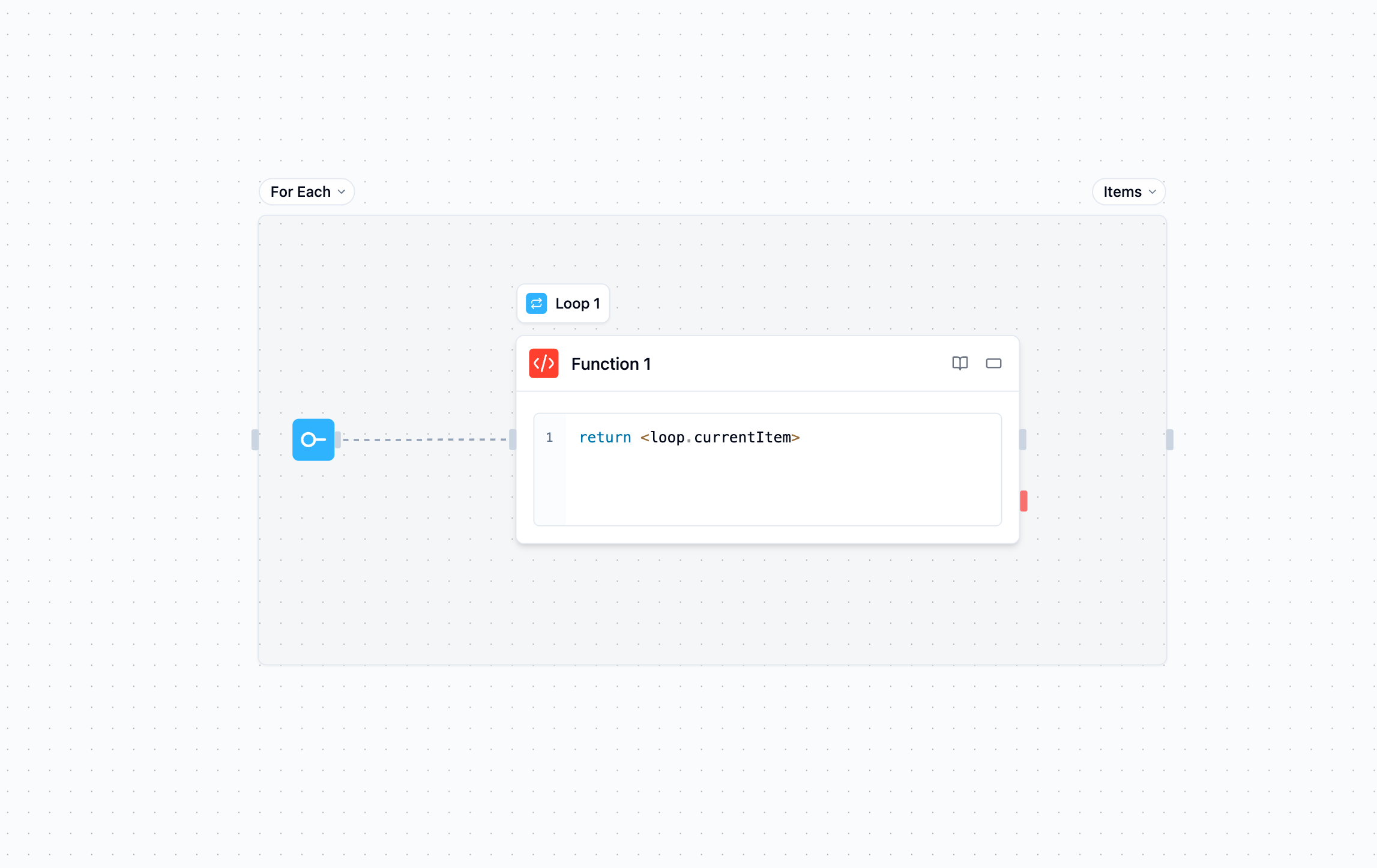
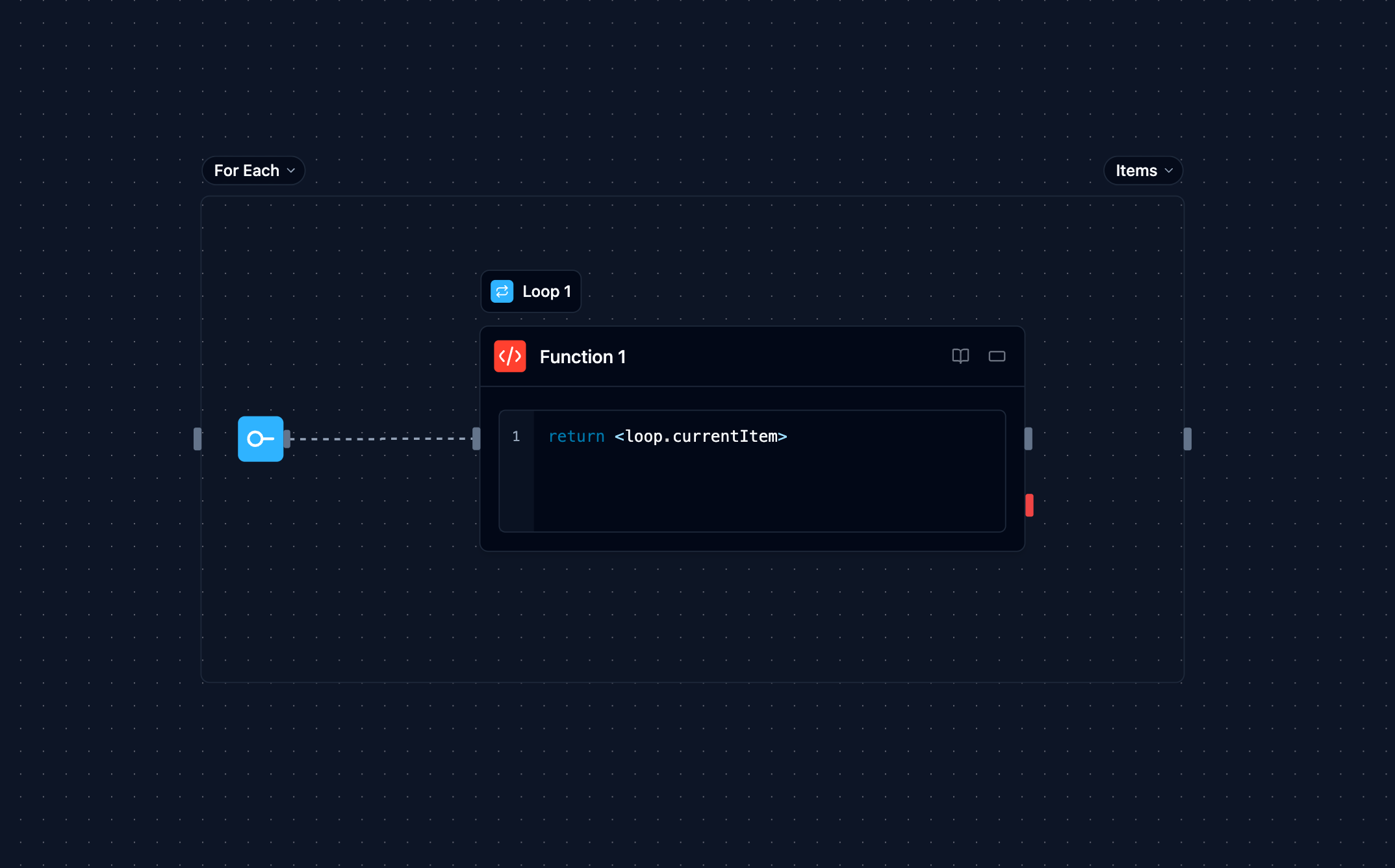
Loop blocks are container nodes that can hold other blocks inside them. The blocks inside a loop will execute multiple times based on your configuration.
Overview
The Loop block enables you to:
Iterate over collections: Process arrays or objects one item at a time
Repeat operations: Execute blocks a fixed number of times
Configuration Options
Loop Type
Choose between two types of loops:
A numeric loop that executes a fixed number of times. Use this when you need to repeat an operation a specific number of times.
Example: Run 5 times
- Iteration 1
- Iteration 2
- Iteration 3
- Iteration 4
- Iteration 5
A collection-based loop that iterates over each item in an array or object. Use this when you need to process a collection of items.
Example: Process ["apple", "banana", "orange"]
- Iteration 1: Process "apple"
- Iteration 2: Process "banana"
- Iteration 3: Process "orange"
How to Use Loops
Creating a Loop
- Drag a Loop block from the toolbar onto your canvas
- Configure the loop type and parameters
- Drag other blocks inside the loop container
- Connect the blocks as needed
Referencing the loop inside the body
Blocks placed inside the loop can reference the current iteration's context:
<loop.index>: Current iteration number (0-based)<loop.iteration>: Current iteration number (1-based)<loop.currentItem>: The item being processed this iteration (ForEach loops)<loop.items>: The full collection (ForEach loops)<loop.previousResult>: The previous iteration's body outputs (see Reusing the previous iteration's result)
Inside the body, always use the literal name loop (for example <loop.currentItem>) — not the block's display name. The current loop's context is bound to loop regardless of what you renamed the block to.
Accessing Results
After a loop completes, you can access aggregated results from blocks placed after the loop:
<loop.results>: Array of results from all loop iterations
<loop.results> is only populated after the loop finishes. Referencing it from a block inside the loop body resolves to nothing — use <loop.previousResult> to read the prior iteration's output from within the body.
Reusing the previous iteration's result
To feed one iteration's output into the next, reference <loop.previousResult> from a block inside the loop body. It holds the previous iteration's body outputs, keyed by block, and is undefined on the first iteration.
Scenario: Refine a draft across iterations
- Set a For loop to 3 iterations
- Inside loop: an Agent improves the draft, passing
<loop.previousResult>as additional context - On iteration 1 there is no previous result, so the Agent starts fresh; iterations 2–3 build on the prior output
Each iteration resets the blocks inside the loop, so a block cannot read its own output from a previous iteration directly — <loop.previousResult> is the supported channel for carrying results forward. For conversational continuity, an Agent block's memory is an alternative.
Example Use Cases
Processing API Results
Scenario: Process multiple customer records
- API block fetches customer list
- ForEach loop iterates over each customer
- Inside loop: Agent analyzes customer data
- Inside loop: Function stores analysis results
Iterative Content Generation
Scenario: Generate multiple variations
- Set For loop to 5 iterations
- Inside loop: Agent generates content variation
- Inside loop: Evaluator scores the content
- After loop: Function selects best variation
Advanced Features
Limitations
Loop blocks cannot be nested inside each other. If you need multi-dimensional iteration, consider restructuring your workflow to use sequential loops or process data in stages.
Loops execute sequentially. For concurrent fan-out, draw independent branches from a common upstream block — each branch runs as a separate graph path.
Inputs and Outputs
Loop Type: Choose between 'for' or 'forEach'
Iterations: Number of times to execute (for loops)
Collection: Array or object to iterate over (forEach loops)
loop.currentItem: Current item being processed (forEach loops)
loop.index: Current iteration number (0-based)
loop.iteration: Current iteration number (1-based)
loop.items: Full collection (forEach loops)
loop.previousResult: Previous iteration's body outputs (undefined on the first iteration)
loop.results: Array of all iteration results
Structure: Results maintain iteration order
Access: Available in blocks after the loop (not inside the body)
Best Practices
- Set reasonable limits: Keep iteration counts reasonable to avoid long execution times
- Use ForEach for collections: When processing arrays or objects, use ForEach instead of For loops
- Handle errors gracefully: Consider adding error handling inside loops for robust workflows